TL;DR: Key Takeaways
• Digital badge design is crucial for trust, credibility, and user participation;
• Best design ideas for digital achievement badges:
◦ Use meaningful icons;
◦ Stick to one color for each skills type;
◦ Maintain branding consistency;
◦ Adhere to mobile-first design;
◦ Come with attached rich open metadata;
◦ Avoid generic icons.
• Real-world customized examples across education, HR, finance and IT.
• Where to find templates and icons for digital achievement badges.
Digital badges are credentials that can be shared, verified, and displayed online, providing organizations with an efficient alternative to traditional certification for acknowledging skills and accomplishments.
But badges are more than just attractive icons, and design plays a crucial role in establishing their credibility, fostering trust, and driving their widespread adoption. Well-designed badges can contribute significantly to an organization’s ability to attract and retain users, employees, and learners.
In this article, we’ll explore the importance of digital badge design, look at the best design ideas, provide real-world examples of how badges can be customized for different industries and uses, and highlight how icons and templates can help you create impactful badges. If you’re new to digital badges, get a complete overview in our comprehensive introductory guide.
Why Digital Badge Design Matters
Digital badge design is more than just aesthetic. It’s an essential factor in building trust, enhancing user engagement, ensuring scalability, and reinforcing organizational branding. Effective design directly impacts the perceived value and authenticity of the badge, how it’s shared, and how it’s perceived by both earners and potential employers or educational institutions as a representation of certified skills. Here’s why a good professional design is critical.
Trust and Credibility
The visual quality of a digital badge strongly influences its perceived credibility and legitimacy. A well-designed badge can signal professionalism and trustworthiness, especially in academic and professional contexts, while a poorly designed badge may cause skepticism about its value, the achievements it intends to certify, or its authenticity.
User Engagement and Motivation
When badges are visually appealing and convey clear meaning, they can increase earner motivation, participation, and engagement in the learning or achievement process. Good digital badge design can help learners feel a sense of accomplishment and pride in their skills, enhancing their engagement in digital badge-certified educational programs, corporate events, or training programs.
Recognition and Professional Value
Badges serve as micro-credentials that recognize and communicate specific skills or achievements. The design of a badge reflects the significance of the accomplishment and the context in which it was earned. An impactful visual design can differentiate a high-quality badge from others in a crowded digital space.
Branding and Consistency
A digital badge represents the issuer, whether that be a university, a certifying body, or a company, so it’s essential that the badge design reflects the issuer’s brand identity. Consistency in branding across all of an issuer’s badges within a series builds trust and recognition, making the badge more valuable and credible.
What Are The Best Design Ideas for Achievement Badges?
If you’re ready to launch your digital badge program, follow these principles to create effective and professional achievement badges.
Skill-Aligned Icons
Effective digital badge designs align imagery with the skill or achievement the badge is recognizing. Icons that clearly illustrate what the earner has accomplished are best.
Theme-Based Colors
Organizations can offer digital badges for a variety of skills. A good design technique to make these skills easily identifiable is to use theme-based color codes with one color representing each type of skill. For example, blue for technical abilities, or orange for soft skills.
Consistent Branding
Strong digital badge designs are consistent with the organization’s established branding, colors, fonts, and visual language. If a badge doesn’t look like the rest of an issuer’s visual identity, it may not be identifiable, or it may be interpreted as an ungenuine certification.
Mobile-First Readability
Keep in mind that most LinkedIn shares are viewed on smartphones. Digital badge designs must be streamlined to display properly at thumbnail scale.
Rich, Standardized Metadata
Beyond the visuals, successful digital badges must include rich, standardized metadata that explains the skill or credential that was earned, how, and by whom. This information, “attached to” the visual design, increases verifiability and helps badges travel beyond the issuing institution to be shared across multiple platforms and contexts.
Do’s and Dont’s
Create a professional digital badge design using this quick checklist of dos and don’ts:
Do:
- Use Meaningful Icons to Highlight Skills
- Stick to One Color for Each Group of Skills
- Maintain Branding Consistency
- Design for Smartphones
Don’t:
- Rely on Generic Icons
- Use Different Colors for the Same Type of Skill
- Ignore Established Branding
- Create Designs that are Unreadable on Smartphones
How Digital Badges Can Be Customized for Different Industries
The design ideas discussed above are more than just theory. Organizations across multiple sectors have established successful digital badging programs, boasting impactful professional designs that are adapted to their industry. Here are a few examples of how universities, continuing education programs, HR systems and industries like banking and IT have implemented effective digital badge designs for their credentials.
Universities
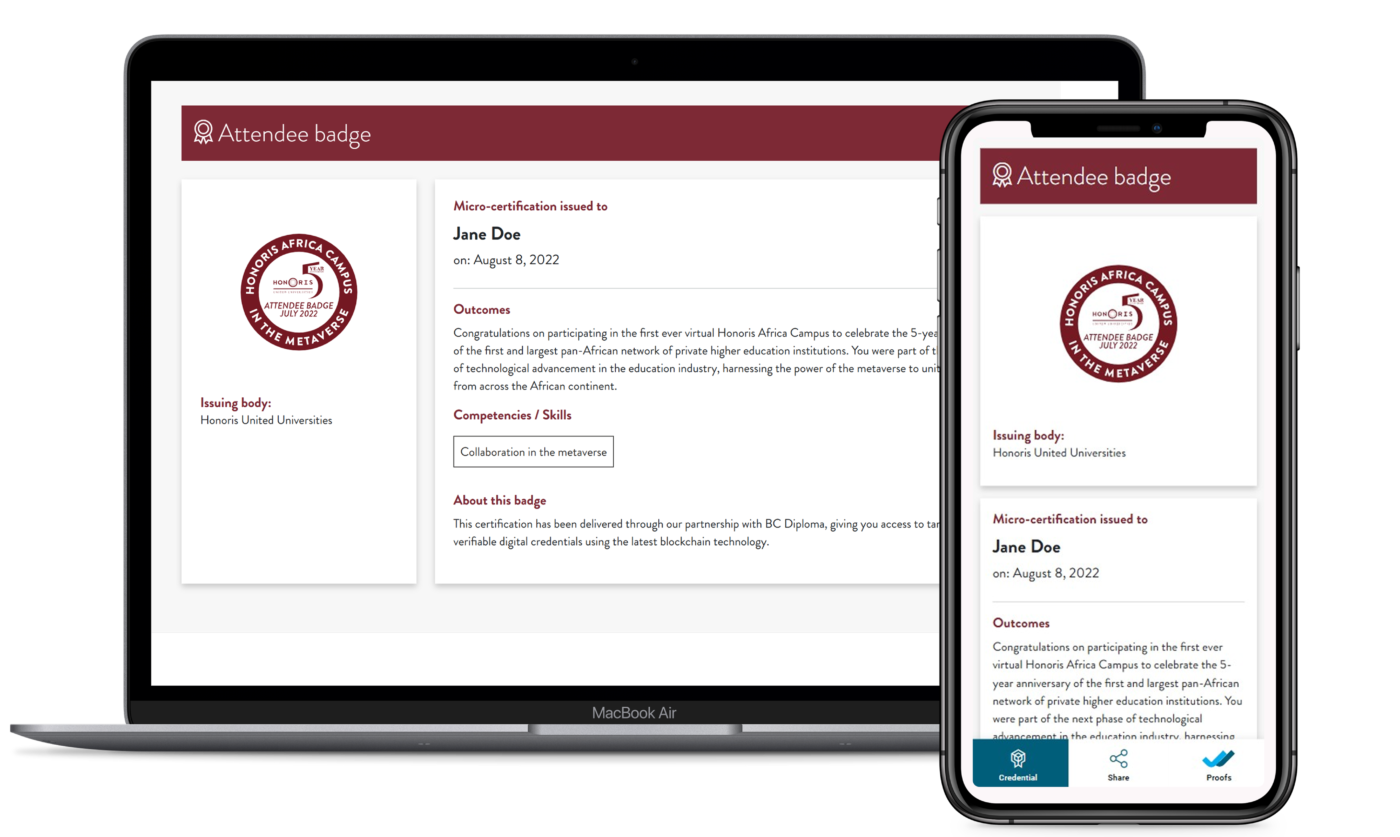
Universities and university networks use digital badges to recognize course completions, or participation in specific events. One good example is the digital badge created by Honoris United Universities awarded to participants of the first-ever virtual Honoris Africa Campus.
Continuing Education
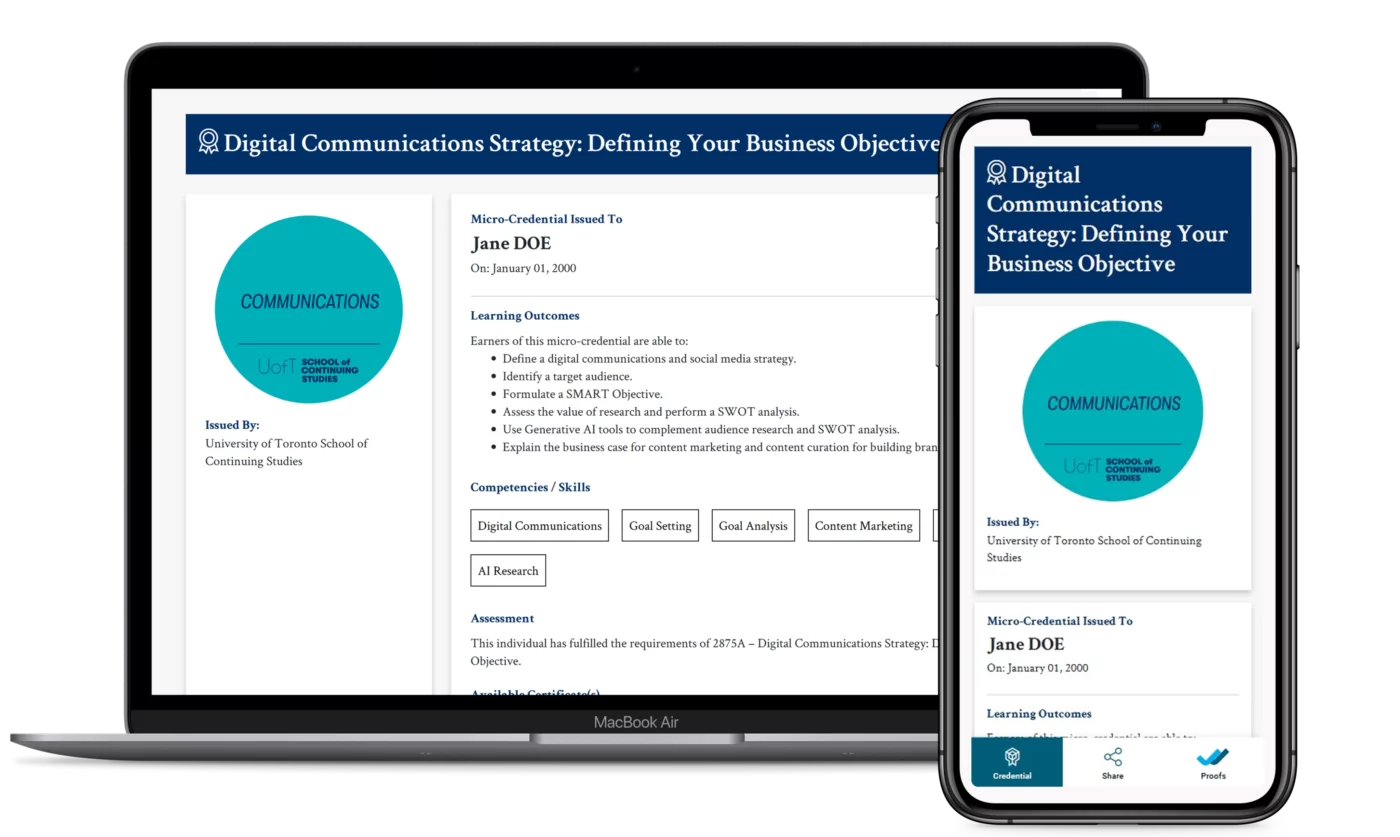
Continuing education programs have also embraced the potential of digital badges. University of Toronto School of Continuing Education (UofT CE) for one offers a number of digital badges for its professional development programs that serve as digital proof of competencies, boosting earners’ employability.
HR
Organizations like IBM are incorporating digital badges into their HR systems and making badge earning a key factor for hiring and promotions. IBM’s badges can be earned by completing courses or labs to demonstrate knowledge and hands-on expertise.
Banking
Financial institutions use badges to verify that employees have concluded required regulatory and compliance training. For example, the International Faculty of Finance (IFF) issues a badge upon completion of its Anti-Money Laundering & Financial Crime course, helping professionals showcase their expertise.
IT
Additionally, digital badges are an effective way to showcase IT and computing competencies, like proficiency in Microsoft Office 365 and other workforce skills.
Find out about the benefits of virtual credentials for educational institutions in our guide to digital badges in education.
Learn more about how companies are retaining and upskilling employees with digital badging programs.
Digital Badge Icons and Templates: Where Can I find them?
Now that we’ve covered design ideas and seen them customized and put into practice in different industries, you’re ready to create your own professional digital badge design and take your digital credentials to the next level.
As we’ve discussed, digital badge icons should clearly represent the skills and accomplishments they are recognizing. For a head start on the design process, you can find pre-designed icons that visually demonstrate achievements. Platforms like Envato or Freepik provide a large selection of ready-to-use icons. But be careful: while these tools are useful, it’s important to remember that an icon alone does not constitute a badge.
This is where BCdiploma templates come in to transform your visuals into secure, standards-compliant certificates. With our user-friendly platform, we take all the guesswork out of badge creation, facilitating overall design, including attractive badge icons, with our easy-to-use templates and custom badge production features.
Templates
If you are creating a digital badge design for the first time, BCdiploma’s library of predefined, ready-to-use badge design templates is a great way to jumpstart your badging program. Save time by choosing from a variety of professional templates and get your digital credentials program off the ground quickly and easily.
Customized Designs
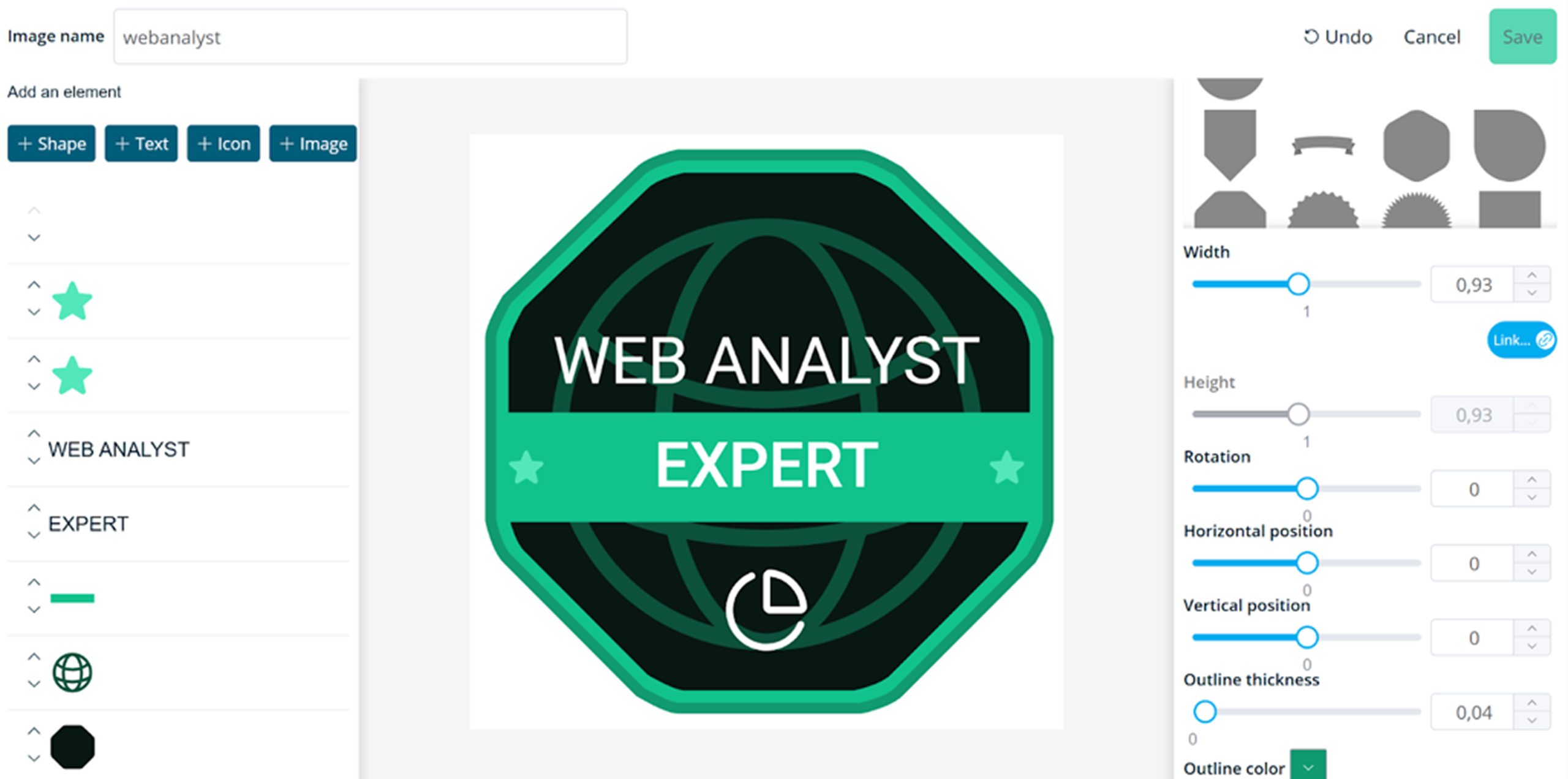
If you’re looking for more design freedom, BCdiploma’s comprehensive badge design studio allows you to readily build a unique design of your own with our advanced design features. Create a made-to-measure badge that suits your organization’s specific professional needs and the specific achievement you want to recognize.
Embedded Details
Because digital badges are so much more than just an attractive icon or image, BCdiploma’s digital badge creator also allows you to embed the essential open badge metadata that immediately ensures the badge’s authenticity. Without the need for specific technical knowledge, you can immediately include the issuing organization, the skills required for earning the badge, and the date it was issued.
Get started with our Digital Badge Platform for Credentialing & Learner Recognition.
Find out more about how to create professional digital badge designs with BCdiploma in this complete guide.
The ultimate solution for your credentials
Ready to issue secure, tamper-proof credentials? BCdiploma provides turnkey, blockchain-based solutions for education and training institutions, ensuring every digital badge is instantly verifiable. And it delivers lifelong, employability-boosting assets for learners.
Our white-label solution will integrate seamlessly with your own systems, keeping your brand front and center while you provide the gold standard in digital credentialing.